


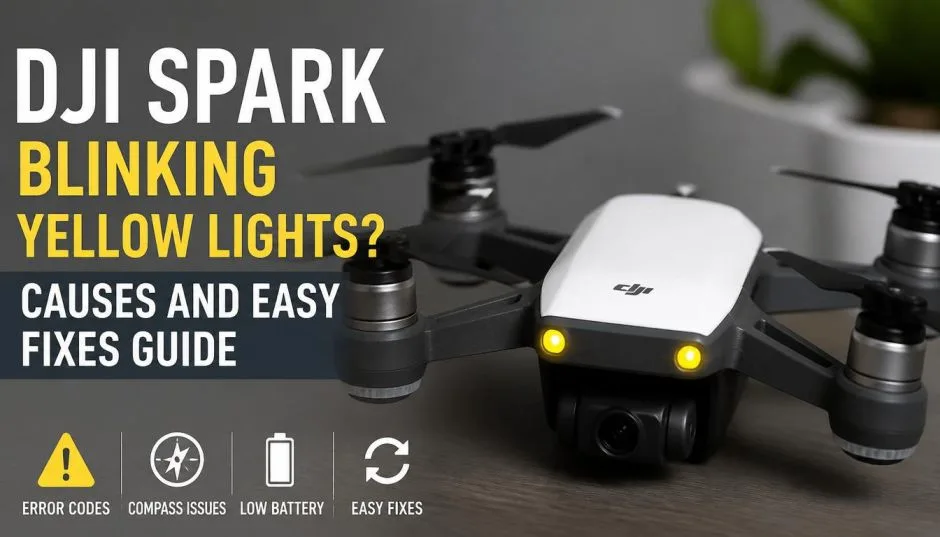
DJI Spark Blinking Yellow Lights? Causes And Easy Fixes Guide
I remember the first time my Spark started blinking yellow. I was in a park. I had just taken off. The drone was hovering. Then the lights started flashing. I panicked. I thought it was going to fall out of the sky.
It did not. But I landed it anyway. I spent the next hour searching forums. I found conflicting answers. Some people said it was a battery issue. Others said it was a connection problem.
After years of flying the Spark, I have figured out the real meaning behind those yellow lights. I will break it down for you. No jargon. No guesswork. Just what I have learned from actually using the drone.
The DJI Spark Blinking Yellow Lights Meaning: A Quick Overview
The DJI Spark blinking yellow lights meaning depends on the pattern. There is not just one meaning. The drone uses different blinking patterns to tell you different things.
Read Also: DJI Spark 5.8GHz Frequency Hack: Bypassing Regional Limits for Stable Flights
Here is what I have found:
-
Slow blinking yellow: The drone is in Gesture Mode. It is waiting for you to do a hand gesture. This is normal.
-
Fast blinking yellow: You are too close or too far from the drone. It is trying to tell you to adjust your position.
-
Yellow after power-on: The drone is ready to link to the remote controller. This is also normal.
I will explain each of these in detail. I will also tell you what to do when you see them.
Gesture Mode: The Most Common Reason for Yellow Lights
The Spark has a feature called Gesture Mode. It lets you control the drone with hand movements. No remote controller needed. When the drone is in this mode, the front LEDs blink yellow slowly.
I used this feature a lot when I first got the drone. It is fun. You can launch the drone from your palm. You can wave your hand to make it go left or right. You can even take a selfie by making a frame with your fingers.
How to enter Gesture Mode:
-
Power on the drone while holding it.
-
Wait for the status indicators to blink yellow.
-
Tap the battery power button twice.
-
The front LEDs should blink yellow slowly.
What happens next:
The drone uses FaceAware to recognize your face. When it works, the LEDs turn solid green. The drone beeps twice. If it fails, the LEDs blink red twice. You just need to repeat the steps.
The fast blinking yellow warning:
During PalmControl, you might see the front LEDs blink yellow fast . This means you are too close or too far from the drone. The drone wants you to adjust your distance. Move closer or step back until the LEDs turn solid green.
You Must Also Like: DJI Spark Drone Fly More Combo: A Complete Guide for Beginners
I have had this happen many times. It is not a problem. The drone is just telling you to find the right spot.
What Does Yellow Mean When You Power On?
When you power on the Spark, the status indicators blink yellow. This is normal. It means the drone is ready to link to the remote controller. Here is the process:
-
Power on the drone and the remote controller.
-
Wait for the aircraft status indicators to blink yellow.
-
Press and hold the battery power button for three seconds. Release it after hearing a single beep. The front LEDs will blink red.
-
Press and hold the Flight Pause button, the Function button, and the Customizable button at the same time.
-
The front LEDs turn solid red after blinking green.
-
When the remote controller LED turns solid green, the link is complete.
Yellow Lights and the Battery: What Are They Telling You?
The Spark battery has its own set of lights. These are different from the drone's LED indicators. The battery lights tell you the charge level and if something is wrong.
Checking battery level: Press the battery power button once. The Battery Level Indicators light up. They show the current battery level.
Here is the breakdown:
-
Four LEDs on: 88% to 100% charge
-
Three LEDs on: 75% to 88% charge
-
Two LEDs on: 63% to 75% charge
-
One LED on: 50% to 63% charge
-
One LED flashing: 38% to 50% charge
-
One LED flashing quickly: 25% to 38% charge
Charging status:
When you charge the battery, the LEDs show the progress:
-
Battery level 0% to 50%: LED1 flashes
-
Battery level 50% to 75%: LED2 flashes
-
Battery level 75% to 100%: LED3 flashes
-
Fully charged: All LEDs are off
It takes about 1 hour and 20 minutes to fully charge the battery.
Yellow light on the charging station:
If you use the Spark Portable Charging Station, a yellow light has a specific meaning. A solid yellow indicator means the station is ready for charging. A pulsing green light means it is charging. A solid green light means it is fully charged. A solid red light means there is an error.
Battery Protection: The Flashing Light Codes
The Spark battery has built-in protection mechanisms. When something goes wrong, the LEDs flash in specific patterns. This is critical information. I have seen these patterns when the battery was too hot or too cold.
Here are the patterns from the official manual:
-
LED2 blinks twice per second: Overcurrent detected
-
LED2 blinks three times per second: Short circuit detected
-
LED3 blinks twice per second: Overcharge detected
-
LED3 blinks three times per second: Over-voltage charger detected
-
LED4 blinks twice per second: Charging temperature is too low
-
LED4 blinks three times per second: Charging temperature is too high
If you see any of these patterns, stop charging immediately. Unplug the battery. Check the charger and the battery temperature. Allow the battery to cool down or warm up before trying again.
The DJI Spark Battery 2 Lights Flashing 4 Times Issue
I have seen this question come up in forums. Someone reported that their Spark battery was stuck with 2 lights flashing and would not charge. The battery was "locked" with that light configuration. The drone would start up but would not fly.
What causes this?
Another possibility is a voltage difference between the battery cells. If the voltage difference is over 0.1V, the battery will not work. You can check this in the DJI Go 4 app. Go to the battery page. It will show you the voltage of each cell.
If you see the DJI spark battery 2 lights flashing 4 times or any other unusual blinking pattern, try these steps:
-
Install the battery in the drone.
-
Connect the drone to the DJI Go 4 app.
-
Check the battery page for voltage differences.
-
If the app prompts you to update firmware, do it.
-
If nothing works, try connecting to DJI Assistant 2 on your PC. This application can identify if the battery needs a firmware upgrade.
The DJI Battery Charger Lights Meaning
The DJI battery charger lights meaning is different from the drone lights. The charger itself has indicators that show its status. Standard Spark battery charger:
The charger has a Micro USB port. It connects to the Spark. The Battery Level Indicators on the battery show the charging progress. The charger does not have its own set of lights. The battery lights are the ones you watch.
Portable Charging Station: The portable charging station has its own light meanings:
-
Solid yellow: Ready for charging
-
Pulsing green: Charging
-
Solid green: Fully charged
-
Solid red: Battery error
What If the Yellow Lights Do Not Go Away?
Sometimes the yellow lights stay on and the drone will not operate. I have experienced this when traveling. The drone powered on. The rear LEDs blinked yellow. The front LEDs were solid red. The drone would not link to the remote controller or respond to hand gestures.
Steps to relink:
-
Power on the aircraft and the remote controller.
-
Wait for the aircraft status indicators to blink yellow.
-
Press and hold the power button of the Intelligent Flight Battery for three seconds. Release it after hearing a single beep. The front LEDs will blink red.
-
Press and hold the Flight Pause button, the Function button, and the Customizable button simultaneously. Linking begins when the alarm becomes a quick single beep after an alternating single/double beep.
-
Then the front LEDs turn solid red after blinking green. When the status LED on the remote controller turns solid green, linking is complete.
If relinking does not work, the drone might need a hardware diagnosis. You may need to send it in for repair.
My Tips for Keeping Your Spark Happy
After years of flying the Spark, I have learned a few things about avoiding yellow light issues.
-
Keep the firmware updated. Battery issues often stem from outdated firmware. Connect to the app regularly and check for updates.
-
Store batteries properly. Allow the battery temperature to drop to room temperature before storing it for an extended period . Do not store it fully charged or fully empty. Keep it at around 50% charge.
-
Use the right charger. Use the official DJI charger. A third-party charger might not provide the correct voltage. This can trigger the battery protection mechanisms.
-
Check cable connections. A loose or damaged cable can cause charging issues. I have had this happen. The cable looked fine, but it was not making a proper connection.
-
Do not charge in extreme temperatures. The charger will stop charging if the battery cell temperature is not within the operating range of 5°C to 40°C. If it is too hot or too cold, the LEDs will flash to warn you.
Final Thoughts
The DJI Spark blinking yellow lights meaning is not complicated. It is just the drone's way of talking to you. Slow blinking yellow means it is in Gesture Mode. Fast blinking yellow means you are too close or too far. Yellow after power-on means it is ready to link.
The battery lights are different. They tell you the charge level and if something is wrong. The flashing patterns are your warning signs for overcurrent, short circuits, overcharge, and temperature issues.
I have used this knowledge to troubleshoot my Spark many times. It has saved me from unnecessary panic and expensive repairs. I hope it does the same for you.
If you see a pattern I did not cover, check the DJI Go 4 app. It will usually tell you what is wrong. And if you are still stuck, try the DJI forums. The community is helpful. They have seen almost every issue.